← All AI & LLM visibility trackers
Google AI ModeAI visibility trackerStandard engine · coverage depends on your plan

Google AI Mode visibility tracker

Know where your brand appears. Know what to do next.

Google AI Mode answers in a conversation instead of ten blue links. Track whether it names your brand, which sources it leans on, and what it searched for to build the answer.

3-day trial on Basic, no card required. Grow has a 3-day trial with a card on file.

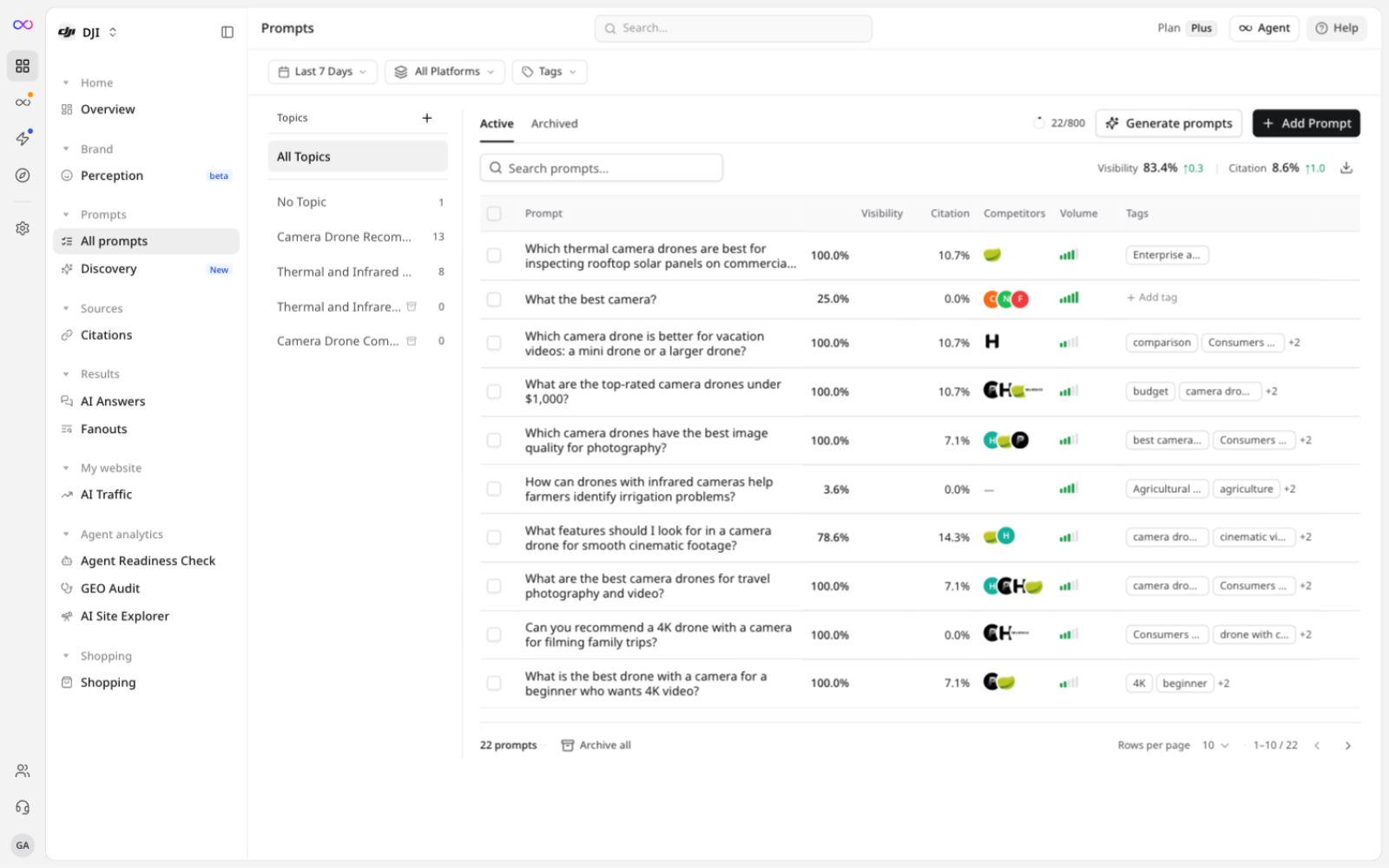
GEOly monitoring interface showing tracked prompts, brand mention rates and citation rates
GEOly monitoring interface · example account, not a forecast of your results

Google AI Mode

Why measure Google AI Mode on its own

  • Buyer questions grouped by intent
  • Brand mentions and citation evidence
  • Competitor context across the same answer set

AI Mode is Google's conversational search tab. Its answers draw on Google's index but are written as a recommendation, so a page that ranks well in classic results can still be missing from the answer.

AI Mode runs several background searches for one question (query fan-out). Capturing them shows the sub-questions Google asked on the buyer's behalf, including lookups against brand domains to check claims.

Because the sources are Google-indexed pages, the cited-domain view turns directly into an outreach and content list: the pages to be mentioned on and the facts to make easy to verify.

AI Mode tracker: keep three different signals separate

Use an AI Mode tracker to observe brand mentions and cited pages inside Google AI Mode answers. Track changes against a fixed question set, market and language. Traditional Google rankings and Search Console traffic are useful context, but neither alone tells you which brands or URLs appeared in a sampled AI Mode answer.

SignalEvidence to retainHow to use it
Brand inclusionThe full answer, brand wording and competitor list.Identify buying scenarios where your brand is absent or poorly described.
Source selectionExact cited pages and the claim each page supports.Find evidence gaps and prioritize a useful, accessible page that addresses the question.
Website outcomesSearch Console and analytics results with channel definitions and attribution limits.Assess visits and conversions separately from answer-level visibility.

Google reports AI-feature performance within Search Console’s Web search reporting; that is not a standalone AI Mode citation log. Keep first-turn answers separate from follow-ups, and do not combine AI Mode with AI Overviews when calculating mention or citation rates.

Download the AI Mode tracking sheet (CSV)

Blank column template for your spreadsheet tool. Enter actual observations; no sample results or automatic formulas are included.

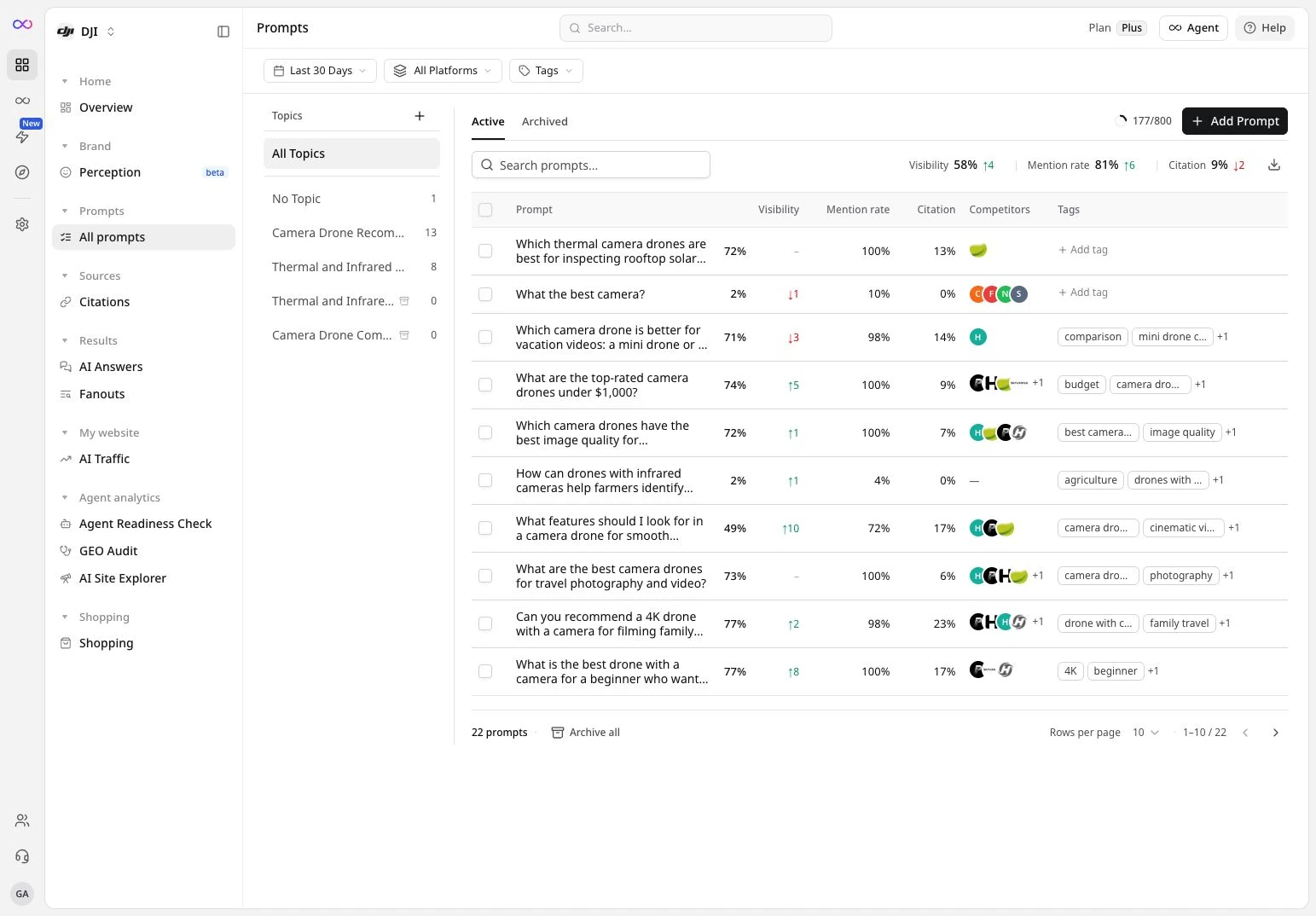
Work through the process with a DJI demo project

Follow prompts, answers and citations through to fact checking and content experiments. Captured November 29, 2026. This educational example does not establish a DJI customer relationship or optimization results. The screenshot shows project-level data, not results for a single engine.

DJI demo project in the current GEOly English interface; open the complete GEO guideRead the full GEO guide and 30-day plan

AI Mode tracker: measure answers, sources and changes

  1. Keep AI Mode distinct from AI Overviews

    Run your buyer questions in AI Mode and record the market, language and collection date. Keep follow-up questions separate from first-turn questions. An AI Overview in ordinary Search is a different surface, so do not combine the two into one visibility rate.

  2. Inspect the answer and supporting pages

    Count brand mentions and cited URLs independently. Review captured query fan-out when available to understand the subtopics searched, but do not treat an unobserved query as evidence that no search happened. Use the cited page itself to verify the facts behind a recommendation.

  3. Improve the page that answers the missing question

    Illustrative example: an answer compares warranty exclusions but your page only says “great warranty.” Publish the actual terms clearly and make the page discoverable through relevant internal links. Google says supporting pages must be indexed and eligible for a search snippet; no special AI schema guarantees inclusion. Track the same prompts after changes.

Google Search Central: AI features and your website

Read the signal. Choose the right action.

Mentions, citations and visits answer different questions. Keep them separate before deciding what to optimize.

Read the signal. Choose the right action.
SignalWhat it tells youWhat to do with it
Brand mentionsWhether the brand is named in the sampled answers.Find missing buying intents; inspect how the brand is described.
Citation RateThe share of tracked answers citing your own domain.Inspect the cited URLs and the facts your pages need to support.
Share of ModelYour share of brand mentions within the same answer set.Compare the competitors actually named, using a stable prompt set.
Sentiment & answer positionThe wording around a brand and its order in the answer.Read the original context before interpreting a positive or negative label.
Referral visitsAttributed website sessions in your analytics.Evaluate landing pages and key events separately from AI visibility.

Start with better questions.

Choose a business type and build a small prompt set you can copy into your research workflow. These are editable examples—not live engine results or measured search demand.

Example prompt set

Replace placeholders and select your target country and language in your tracking workflow. The starter runs in your browser; it does not query an AI engine.

  1. 01

    Which wireless headphones brands should a first-time buyer consider?

  2. 02

    Which wireless headphones options are worth comparing at different budgets?

  3. 03

    How does [your brand] compare with other wireless headphones options?

  4. 04

    What should I verify before choosing [your brand]?

  5. 05

    Which reliable sources support the claims about [your brand]?

  6. 06

    When should I choose an alternative to [your brand]?

Google AI Mode / Your workflow

From an answer to your next content decision.

01

Map the follow-up questions

Inspect

Inspect captured query fan-out where available. A single buyer question can involve several comparisons, constraints and fact checks.

Act

Map each distinct intent to the page that answers it best. Improve existing coverage before creating overlapping pages.

Keep the evidence: Prompt · available retrieval queries · destination page

02

Inspect the cited page

Inspect

Look beyond domain totals. Which exact URL supports the recommendation, and what does that page explain better?

Act

Add first-hand details, readable comparisons and current product facts. Check Googlebot access and indexing independently.

Keep the evidence: Cited URL · content gap · indexability

03

Measure AI Mode on its own

Inspect

Keep AI Mode observations separate from AI Overviews, Gemini and classic organic positions.

Act

Use answer-level evidence for visibility and Search Console for search performance. A conventional ranking is not an AI Mode citation.

Keep the evidence: Surface · market · language · observation date

Your first measurement cycle

  1. 01

    Set the baseline

    Choose one market and a focused set of discovery, comparison and validation questions. Save the prompt list before measuring.

  2. 02

    Read the evidence

    Inspect missing mentions, citation gaps and inaccurate claims. Prioritize by relevance to a real customer decision.

  3. 03

    Change one useful thing

    Improve a specific page or source. Record what changed and when, then compare equivalent observation windows.

Choose the coverage you actually need.

Start with one standard engine or compare several on the same prompt set. See current plans for prompt quotas, history, exports and integrations.

Google AI Mode is available on every GEOly plan: Basic ($49/month) lets you pick 1 of the 4 engines and Grow ($149/month) 2, while Advanced ($399/month) and Plus include all four. Basic comes with a 3-day free trial, no card required; Grow has a 3-day trial with a card on file.

3-day trial on Basic, no card required. Grow has a 3-day trial with a card on file.

See plans

Before you start tracking

Does GEOly show the searches AI Mode ran for an answer?

Yes. Query Fanout captures the background queries an engine runs while assembling an answer, per tracked prompt. It is a list rather than a score, and it is often the fastest way to see which facts about your brand the engine tried to verify.

Is AI Mode the same as AI Overviews?

No. AI Overviews is the summary that appears above classic Google results; AI Mode is a separate conversational search experience. GEOly tracks them as two engines, and they often cite different sources for the same question.

Does tracking guarantee AI recommendations?

No. Monitoring helps you identify gaps and inspect changes. It does not control an engine’s answers or guarantee citations, rankings or traffic growth.

Does the prompt starter query an AI engine live?

No. It builds research questions in your browser from your inputs. It does not run collection or show measured demand. Actual monitoring is configured separately.

How should I compare results over time?

Use the same prompt set, engine, market and language across equivalent windows. Inspect valid observation counts and raw answers, and annotate any collection or product-configuration changes.

Is AI visibility the same as website traffic?

No. A brand can be mentioned or cited without receiving a click. Use answer records to assess visibility and GA4 or your own analytics to assess visits and conversions.

Which GEOly plans include Google AI Mode?

Google AI Mode is available on every GEOly plan: Basic ($49/month) lets you pick 1 of the 4 engines and Grow ($149/month) 2, while Advanced ($399/month) and Plus include all four. Basic comes with a 3-day free trial, no card required; Grow has a 3-day trial with a card on file. Prices are in USD, billed monthly; see /pricing for the current per-plan list.

Keep learning

Google AI Mode · related reading

From platform behavior to brand action. Articles are ordered by publication date; check official references and current plans for changes since publication.

Browse all articles

Shared methods · across platforms

DJI demo: from monitoring evidence to a 30-day content plan

Learn prompt grouping, citation review, task planning and retesting. An educational example, not a customer endorsement or verified growth result.

Go deeper, when you need to.

Explore all platforms and coverage

Explore another engine

Make your next visibility decision with evidence.

Start with the questions your customers ask. Follow the answers back to the pages that shape them.

3-day trial on Basic, no card required. Grow has a 3-day trial with a card on file.

Trusted by leading consumer brands

Anker
eufy
soundcore
PLAUD
xTool
Ulike
Jackery
Roborock
Dreame
DREO
Insta360
TCL
Beatbot
CASETiFY
Creality
Shokz
Segway
realme

12,000+ brands track & win AI search with GEOly

From Anker to xTool — the brands above already see how ChatGPT, Gemini and Google AI mention, cite and recommend them. Your brand is being talked about in AI right now. See it.

See Your Brand in AI — Free

3-day free trial · No card required