 GEOLY Docs
Sentiment Analytics
Sentiment Analytics
Sentiment Analytics helps teams understand how AI platforms describe a brand and whether the tone of monitored answers is positive, neutral, mixed, negative, or unknown. The data is based on completed monitoring records for the selected brand, time range, platform, and prompt scope.
I. Sentiment Dashboard Overview
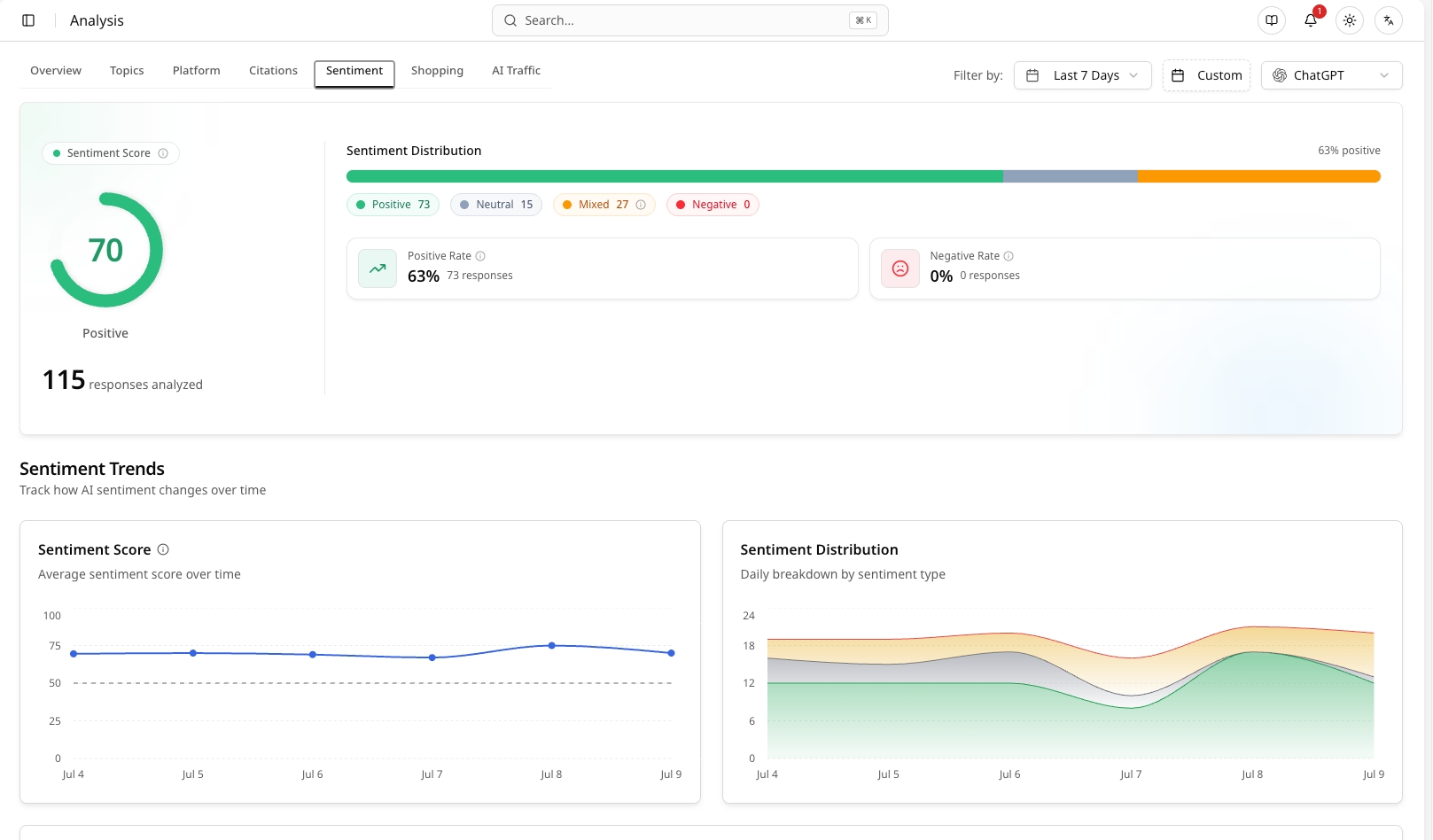
The sentiment dashboard summarizes the tone of AI answers that mention or discuss the brand.
- Sentiment Distribution: Shows the share of scored responses by sentiment category, such as positive, neutral, mixed, negative, or unknown.
- Average Sentiment Score: Provides a directional score for the overall tone in the selected monitoring window.
- Scored Records: Sentiment percentages should be interpreted against the number of completed and scored records. If there are few records, treat the result as directional rather than conclusive.
- Platform Filter: Use platform filters to compare how ChatGPT, Gemini, Perplexity, Grok, Google AI, or other supported engines describe the brand.
Sentiment is a diagnostic layer. It should be read together with AIGVR, mention rate, citation rate, prompt details, and citation sources instead of being treated as a standalone brand-health score.
II. Trend and Platform Differences
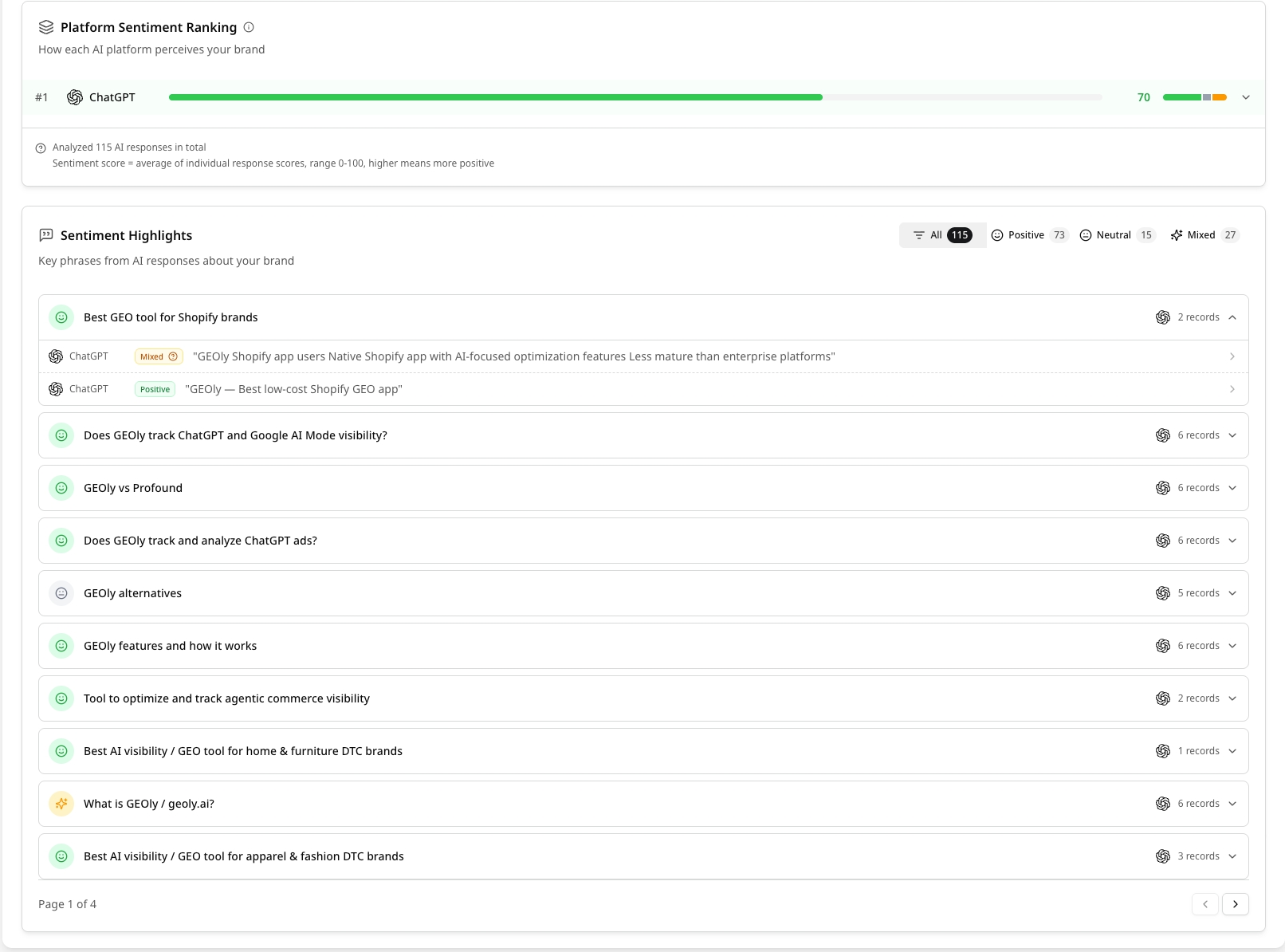
Trend and platform views help identify where sentiment changes and which AI engines produce different narratives.
- Sentiment Trend: Tracks sentiment movement across the selected time range. A gap usually means no monitoring data was collected for that date, not that sentiment was zero.
- Platform Comparison: Shows whether some platforms describe the brand more positively or more cautiously than others.
- Brand Correlation: Helps connect sentiment shifts with visibility, mentions, citations, and competitor context.
- Investigation Workflow: When sentiment drops, inspect the related prompts, answer text, citations, and competitor mentions before drawing conclusions.
III. Narrative and Semantic Clustering
Use narrative and semantic views to understand the language AI repeatedly uses about the brand.
- Core Narrative: Identify recurring phrases, attributes, product claims, or concerns that AI associates with the brand.
- Prompt Context: Compare narratives by prompt topic. A brand may be positive in one use case and neutral or mixed in another.
- Competitor Context: In comparison prompts, review whether AI positions the brand as more affordable, higher quality, more specialized, less reliable, or stronger in a specific feature.
- Actionability: Turn recurring weak narratives into content updates, FAQ improvements, product-page clarification, or third-party source-building tasks.
IV. Drill Down Into Evidence
Open detailed records or prompt-level views when a sentiment finding needs verification.
- Answer Text: Read the original AI answer to understand why the sentiment label was assigned.
- Prompt Record Detail: Review platform, date, mention status, position, sentiment, and answer context.
- Citation Sources: Check which pages or domains AI cited when forming the answer.
- Mention Samples: Use recent brand-mention samples to see the exact language AI used around the brand.
Do not confuse citation-source counts with citation rate. Citation-source views count URLs or domains; citation rate measures the percentage of completed records that cite a brand-owned URL.
V. Sentiment Optimization Workflow
- Find the issue: Locate negative, mixed, or low-score sentiment clusters.
- Verify the evidence: Open the prompt records and read the original answers and citations.
- Identify the source gap: Check whether AI is relying on outdated, weak, or third-party sources.
- Improve owned content: Update product pages, comparison pages, FAQs, schema, and evidence-based claims.
- Strengthen trusted sources: Encourage clearer external references, reviews, or partner content where appropriate.
- Monitor again: Re-run or wait for new monitoring records, then compare the same prompt and platform scope over time.