 GEOLY Docs
Shopping
Shopping Operation Guide
Entry path: Open Insights → Shopping. The page is labeled AI Products in the product interface.
Shopping shows public AI product recommendations across categories. It summarizes which products appeared in AI shopping answers; it is not a real-time global ecommerce ranking and it is not the connected brand's monitoring dashboard.
Scope and filters
Choose the country and language (for example, US · en) and the AI platform (for example, ChatGPT). The page compares the current collection batch with the previous batch. Product details use a recent 30-day window. Keep locale, platform, and time window consistent when comparing results.
Product leaderboards
The page provides three views:
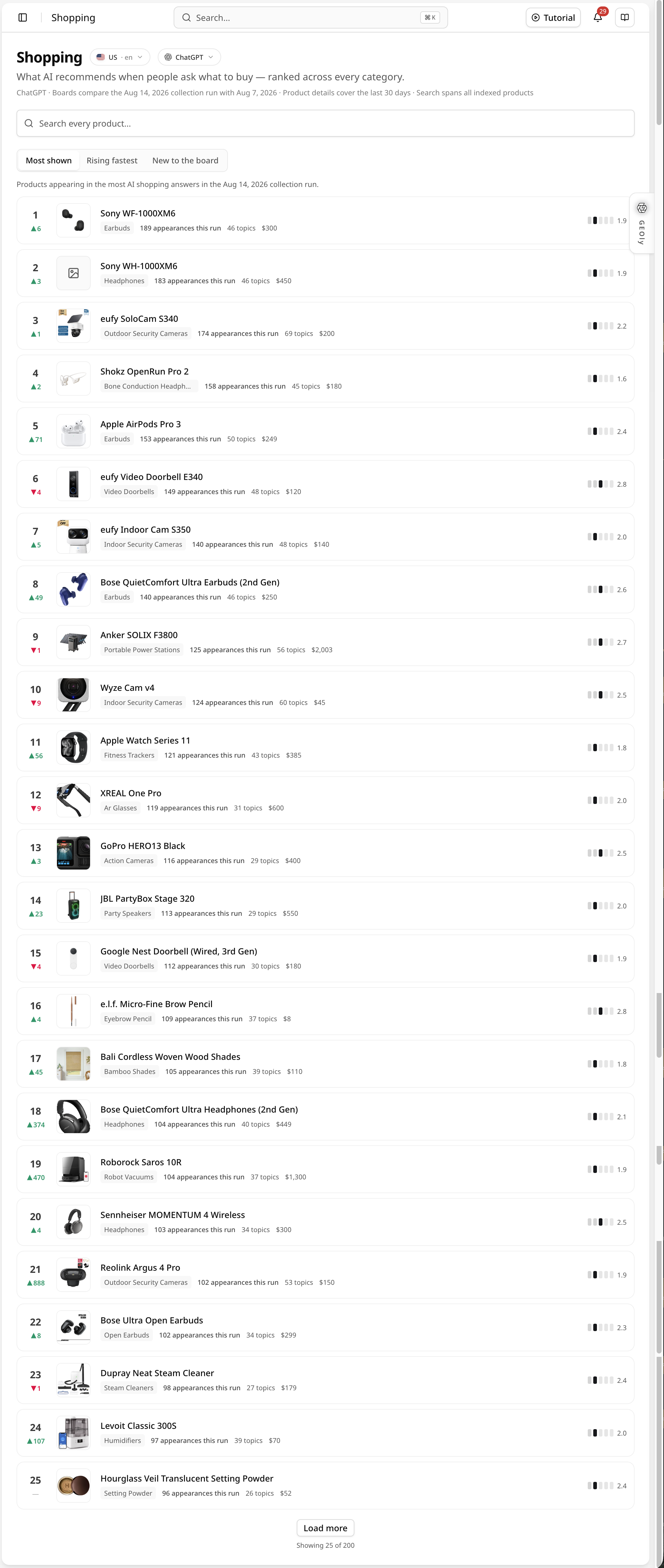
- Most shown: products that appeared most often in AI shopping answers in the current collection batch.
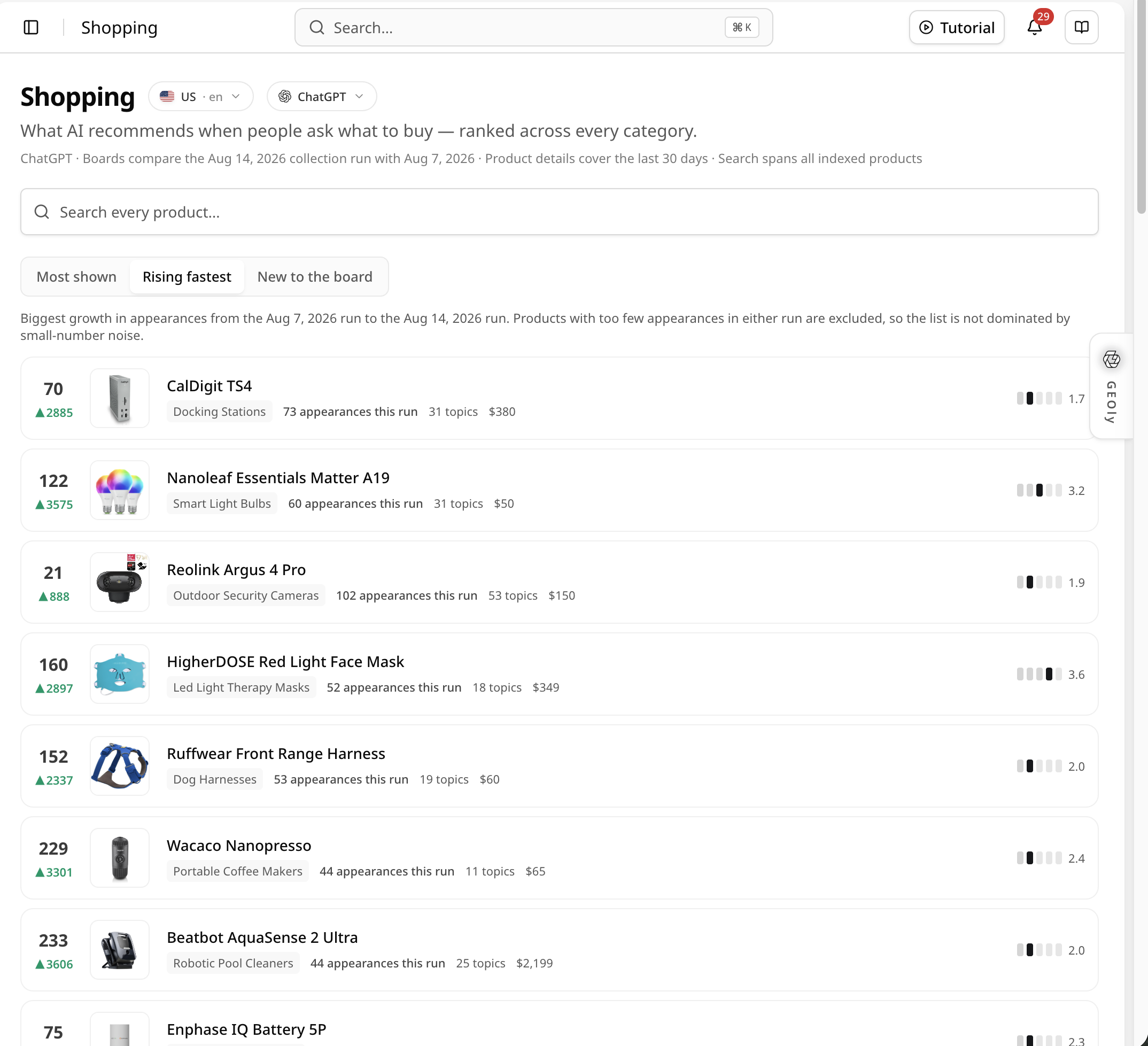
- Rising fastest: products with the strongest increase versus the previous batch.
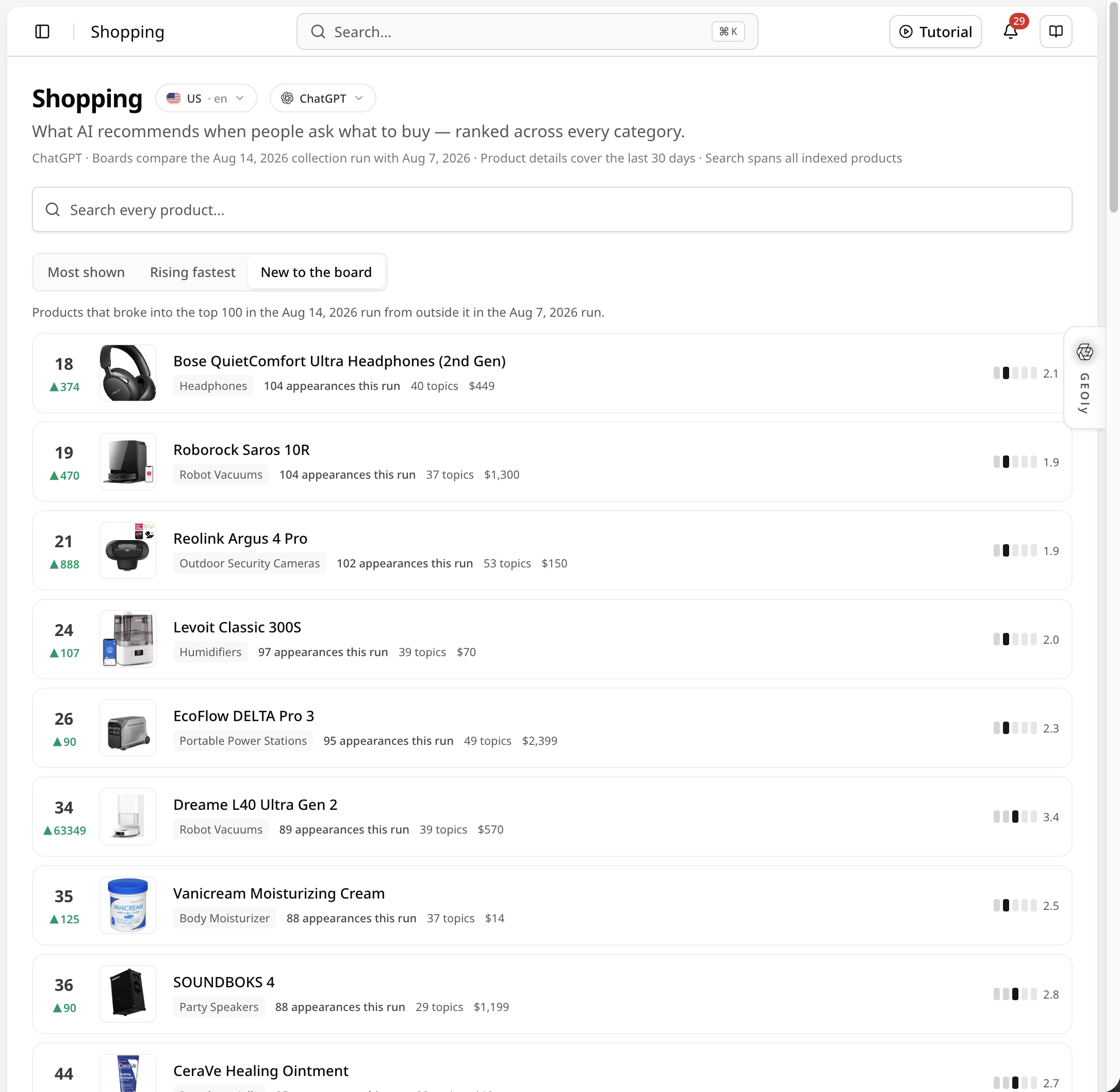
- New to the board: products that entered the leaderboard in the current batch after not appearing in the previous comparison.
Cards can show rank movement, product name, category, appearances in the current batch, the number of Topics where the product appeared, and a reference price. These are observed signals within GEOly's collection scope; they do not prove sales, revenue, market share, or causality.
Product details
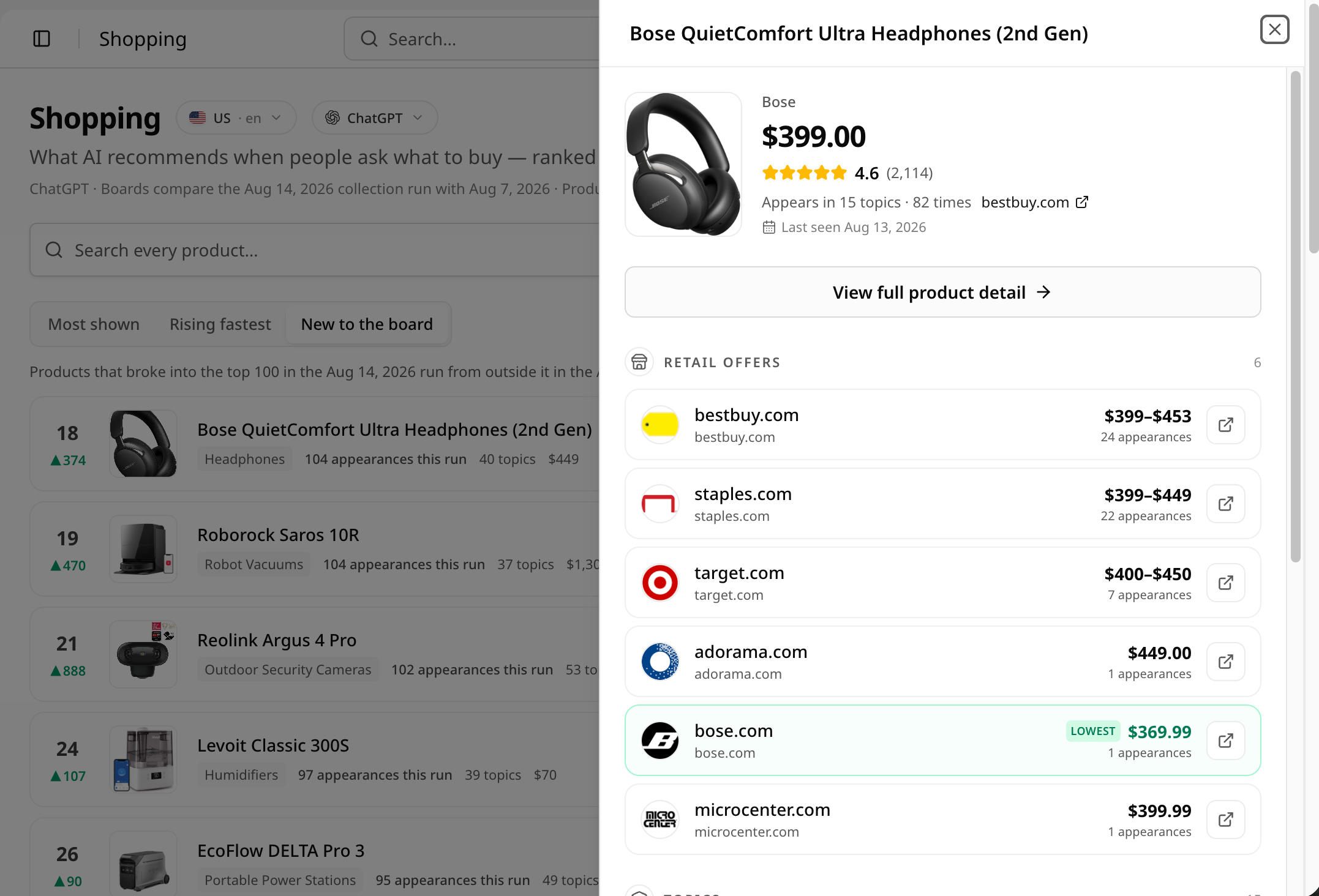
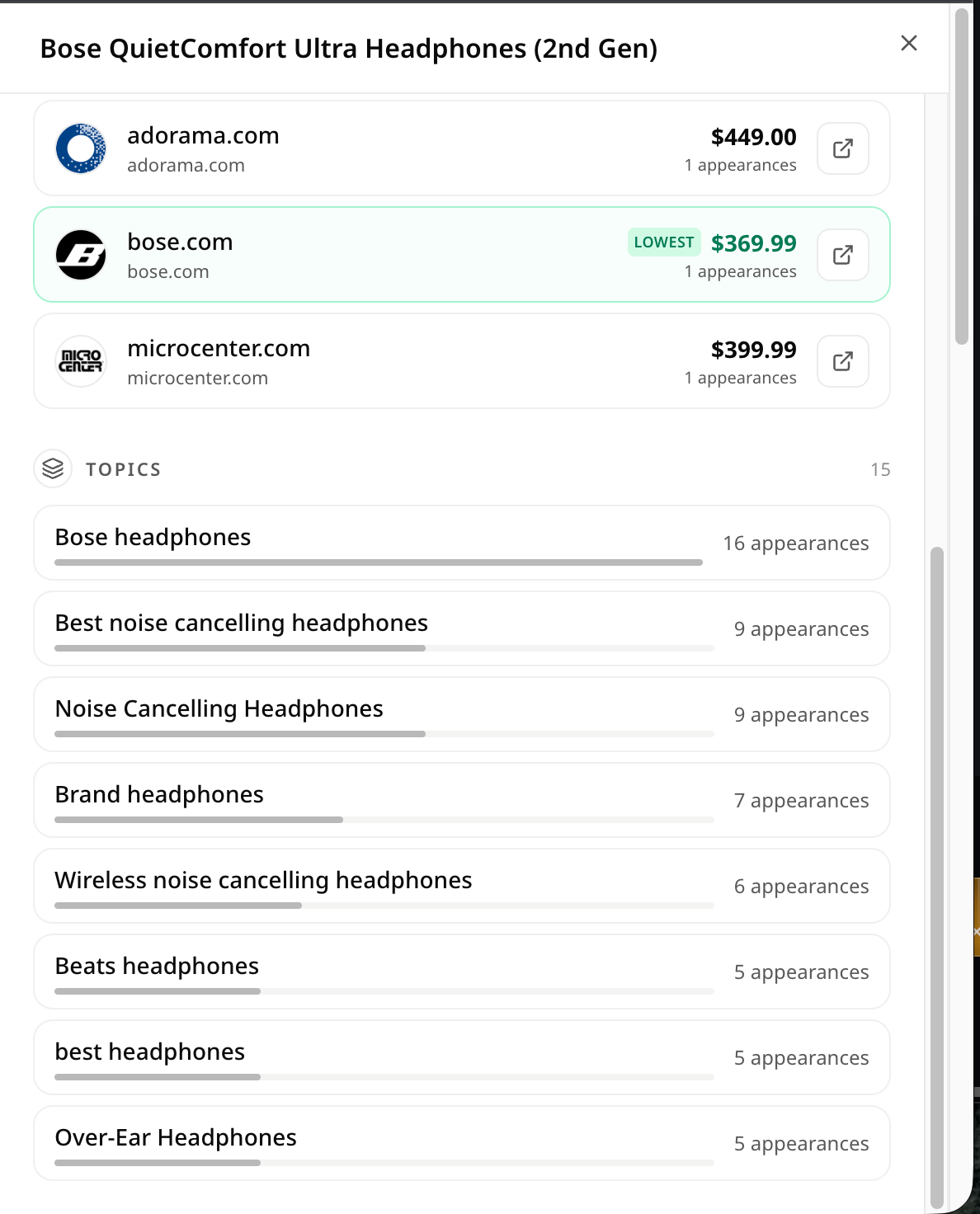
Select a product card to review its name, brand or category, reference price, rating and review count, latest appearance, the number of Topics where it appeared, and the product link. The detail view provides evidence for understanding how the product was represented in the collected AI answers.
Retail channels and Topics
The retail-channel section lists observed retailers, price ranges, appearance counts, and purchase links. These values reflect product information available during collection and can change by market, date, inventory, or retailer; they should not be treated as one universal market price.
The Topics section lists the specific shopping Topics in which the product appeared and the corresponding counts. This helps explain the questions where AI recommended the product, but it is not total search volume or sales contribution.
Recommended workflow
- Set the country, language, AI platform, and comparison batches.
- Switch between Most shown, Rising fastest, and New to the board.
- Open relevant products and review price, rating, retailers, and Topics.
- Turn repeated categories, Topics, or products into competitor research, merchandising hypotheses, or content opportunities.
- Validate any commercial decision with first-party sales, traffic, and conversion data.
How Shopping differs from other GEOly modules
Shopping provides public AI product leaderboards and product details. Explore covers public category, Topic, and brand research, while Analysis and Monitoring focus on a connected brand and its monitored prompts. Appearances, Topic coverage, and retail-channel observations must not be treated as AIGVR, mention rate, citation rate, traffic, revenue, or sales.